Showing posts with label Cordova. Show all posts

Saturday, 7 May 2016

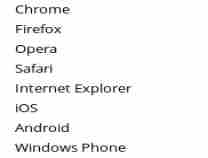
     You can find the type of the device using javascript, for example your website If you want to hide some features in particular device you can use this code. From this code you can find what type of device is it like Android, Windows Phone, ipod, ipad, iphone, chrome or firefox and etc..

The following method will return the useragent full details.

     navigator.userAgent
You can find is this is mobile device or not using the following code

     /(ipad|iphone|ipod|android|windows phone)/i.test(navigator.userAgent)
Mostly we need to check it for cordova mobile application, because we need to check it in desktop pc or in normal browser and mobile native application, in that situation we can check like below.

if(( /(ipad|iphone|ipod|android|windows phone)/i.test(navigator.userAgent) ))

{

cordova.plugins.Keyboard.close();

}


In the above method is only working in mobile, we can't run cordova methods in PC.


Example Program:- (Editor)


Editor is Loading...

Advertisement

Saturday, 30 January 2016

     The following codova plugin is used to control the vibration in android mobile. This can be set the time of vibration and cancel the vibration.

     cordova plugin add cordova-plugin-vibration


Screen shot:
Create vibration in android smart phone using cordova


<!DOCTYPE html>

<html>

<head>


    <meta name="format-detection" content="telephone=no">

    <meta name="msapplication-tap-highlight" content="no">

    <meta http-equiv="Content-Security-Policy" content="default-src *; style-src 'self' 'unsafe-inline'; script-src 'self' 'unsafe-inline' 'unsafe-eval'" />

    <meta name="viewport" content="user-scalable=no, initial-scale=1, maximum-scale=1, minimum-scale=1, width=device-width">

    <title>Vibration Test</title>

</head>

<body>

    <center>

        <input type="button" value="Vibrate 3 sec" onclick="vibr3();">

        <br>

        <input type="button" value="Vibrate 5 sec" onclick="vibr5();">

        <br>

        <input type="button" value="Vibrate 20 sec" onclick="vibr20();">

        <br>

        <input type="button" value="Stop & Start" onclick="stepvibr();">

        <br>


        <input type="button" value="Stop Vibration" onclick="stpvibr();">

        <br>

    </center>


    <script type="text/javascript" src="cordova.js"></script>

    <script>

        document.addEventListener("deviceready", onDeviceReady, false);


        function onDeviceReady() {

            console.log(navigator.vibrate);

        }


        function vibr3() {

            navigator.vibrate(3000); //3second

        }


        function vibr5() {

            navigator.vibrate(5000); //3second

        }


        function vibr20() {

            navigator.vibrate(20000); //20second

        }


        function stpvibr() {

            navigator.vibrate(0); //Stop Vibration

        }


        function stepvibr() {

            // Vibrate for 1 second

            // Wait for 1 second

            // Vibrate for 3 seconds

            // Wait for 1 second

            // Vibrate for 5 seconds

            navigator.vibrate([1000, 1000, 3000, 1000, 5000]);

        }

    </script>


</body>


</html>


Friday, 29 January 2016

     In the following plugin is used to get the battery status while change the battery level, when the battery level is going to Critical or Low level.

How to install cordova and configure?

Problems in this plugin
     Battery Status button will work only once.

command for installing the plugin
     cordova plugin add org.apache.cordova.battery-status


<!DOCTYPE html>
<html lang="en">
<head>
    <meta charset="UTF-8">
    <meta http-equiv="Content-Security-Policy" content="default-src *; style-src 'self' 'unsafe-inline'; script-src 'self' 'unsafe-inline' 'unsafe-eval'" />
    <title>Battery Status</title>
    <script type="text/javascript" src="cordova.js"></script>
    <script type="text/javascript">
        window.addEventListener("deviceready", init, false);

        function init() {
            window.addEventListener("batterycritical", bCritical, false);
            window.addEventListener("batterylow", bLow, false);
    &nbsp;   }

        function bCritical(info) {
            alert("Your Battery @ critical Status" + info.level);
        }

        function bLow(info) {
            alert("Battery @ low" + info.level);
        }

        function checkbattery() {
            window.addEventListener("batterystatus", onBatteryStatus, false);
        }

        function onBatteryStatus(info) {
            alert("Level: " + info.level + " isPlugged: " + info.isPlugged);
        }

    </script>

</head>
<body>
    <button onclick="checkbattery()">Battery Status</button>
</body>
</html>